Which entry machine to buy
Which fingerprint entry machine to buy for your library gate (eSSL K90 Pro for most libraries), what each supported machine does, and where to buy it on Amazon; Abhyasika does not sell machines.
Steps checked on 29 September 2026
This guide helps you pick the fingerprint entry machine to buy for your library gate, and where to buy it.
Abhyasika does not sell machines. You buy the machine yourself on Amazon, then connect it to your library in the app. The price you pay on Amazon is the same as buying it any other way.
Before you start
- The machine needs only internet at your gate: a LAN cable or WiFi. No computer, no software to install.
- If you already own an eSSL or ZKTeco machine, do not buy a new one yet. Send us the brand and model first (step 6) and we will tell you if it works.
Steps
-
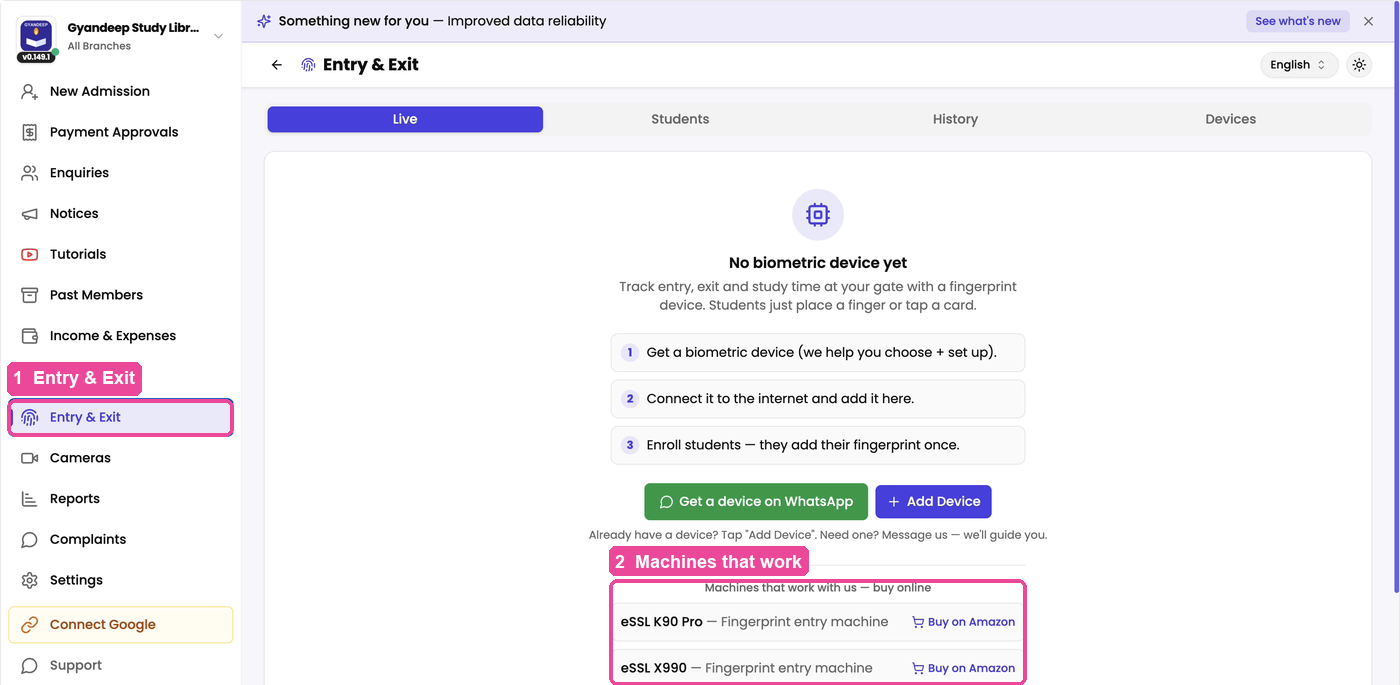
In the sidebar, tap Entry & Exit. Until you add a machine, the screen says No biometric device yet and shows the three steps: get a machine, connect it, add your students.
-
Scroll down to Machines that work with us — buy online. Each row is a machine that works with Abhyasika, with a Buy on Amazon link next to it.
-
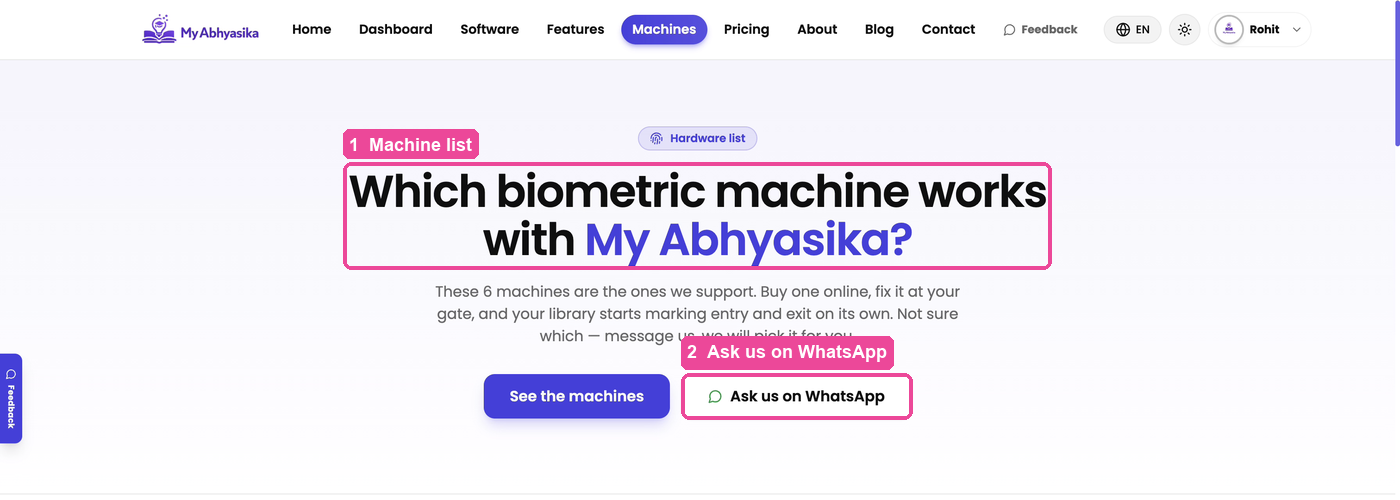
To compare the machines, tap See what each machine does under that list. It opens the page Which biometric machine works with My Abhyasika? in a new tab. (Anyone can also reach this page from Machines in the top menu of the My Abhyasika website.)
-
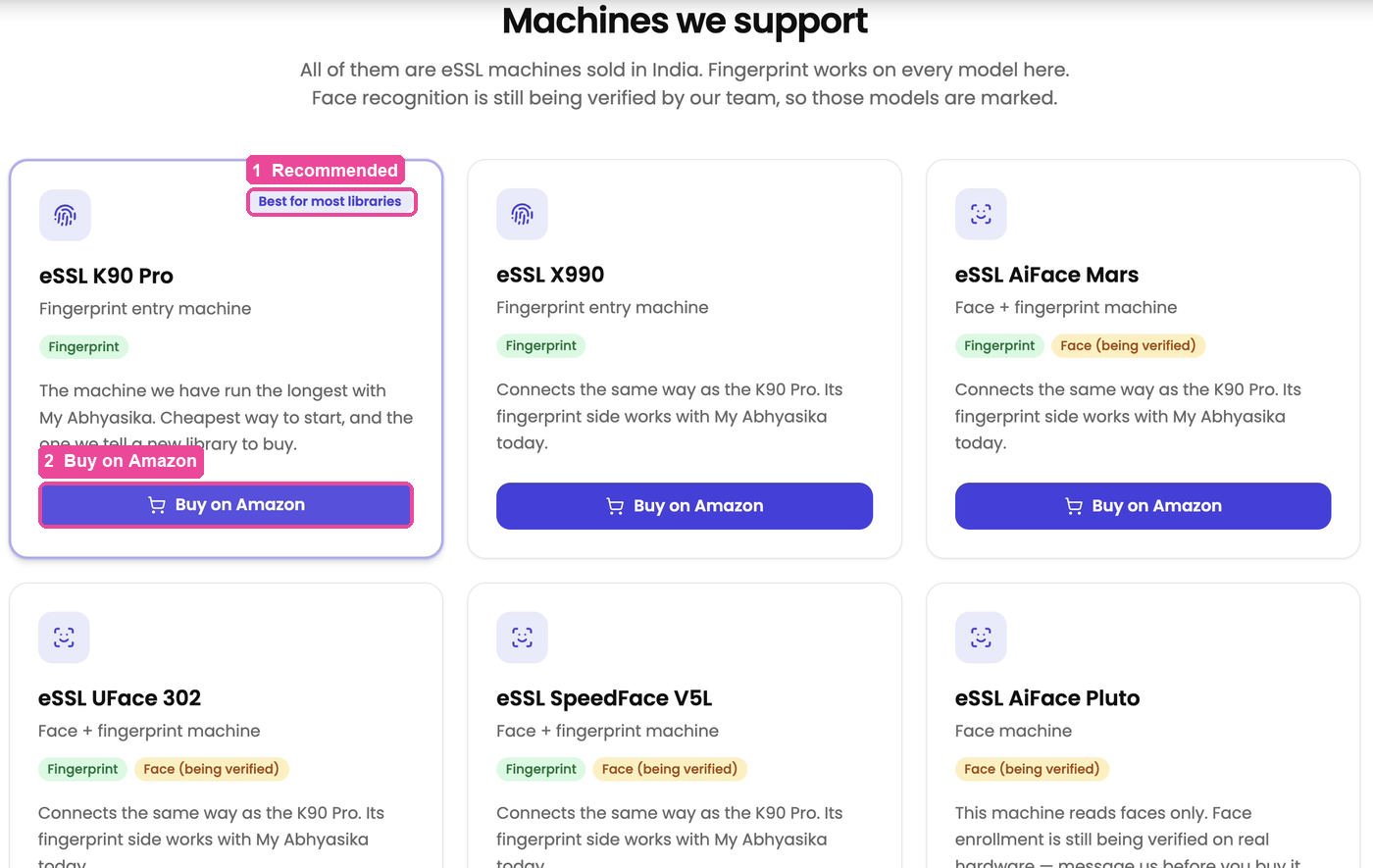
Tap See the machines, or scroll down to Machines we support. Look for the card marked Best for most libraries: the eSSL K90 Pro. It is a fingerprint machine, the cheapest way to start, and the one we have run the longest with Abhyasika. If this is your first machine, buy this one.
-
Tap Buy on Amazon on that card. Amazon opens, and you buy the machine there like any other order.
-
Not sure which one to pick, or you already have a machine? Tap Ask us on WhatsApp at the top of the page (or Get a device on WhatsApp on the Entry & Exit screen) and tell us what you need. We help you choose; you still buy it yourself.
Which machine for which library
- Buying your first machine: eSSL K90 Pro. The eSSL X990 is the same kind of fingerprint machine in a different body and connects the same way.
- You want students to touch nothing (face machines): eSSL AiFace Mars, eSSL AiFace Orcus, eSSL UFace 302 and eSSL SpeedFace V5L read faces and fingerprints. Their fingerprint side works today. Adding a student's face is marked Face (being verified) because our team is still checking it on real machines, so use fingerprint on them for now.
- eSSL AiFace Orcus is not on Amazon; it is sold by eSSL dealers. Its card says Ask us where to buy: tap it and we tell you where to get one.
- eSSL AiFace Pluto reads faces only. Its card says Ask us before buying: message us first.
- You already own a machine: most eSSL and ZKTeco machines with a Cloud Server (ADMS) setting already work, even if the model is not on the list. Send us the model before you buy anything.
What to do next
When the machine arrives, fix it at your gate, plug in the internet cable (or connect WiFi), and follow Add and connect your entry machine.