
Run your study room
from anywhere
Admissions, fee collection, automatic WhatsApp reminders, fingerprint attendance, your seat layout and your own website — in one app built for library owners.
Admissions
Admit a student in under a minute
At the counter, by a link, from an Excel sheet or from your own website — every way a student joins lands in one place.
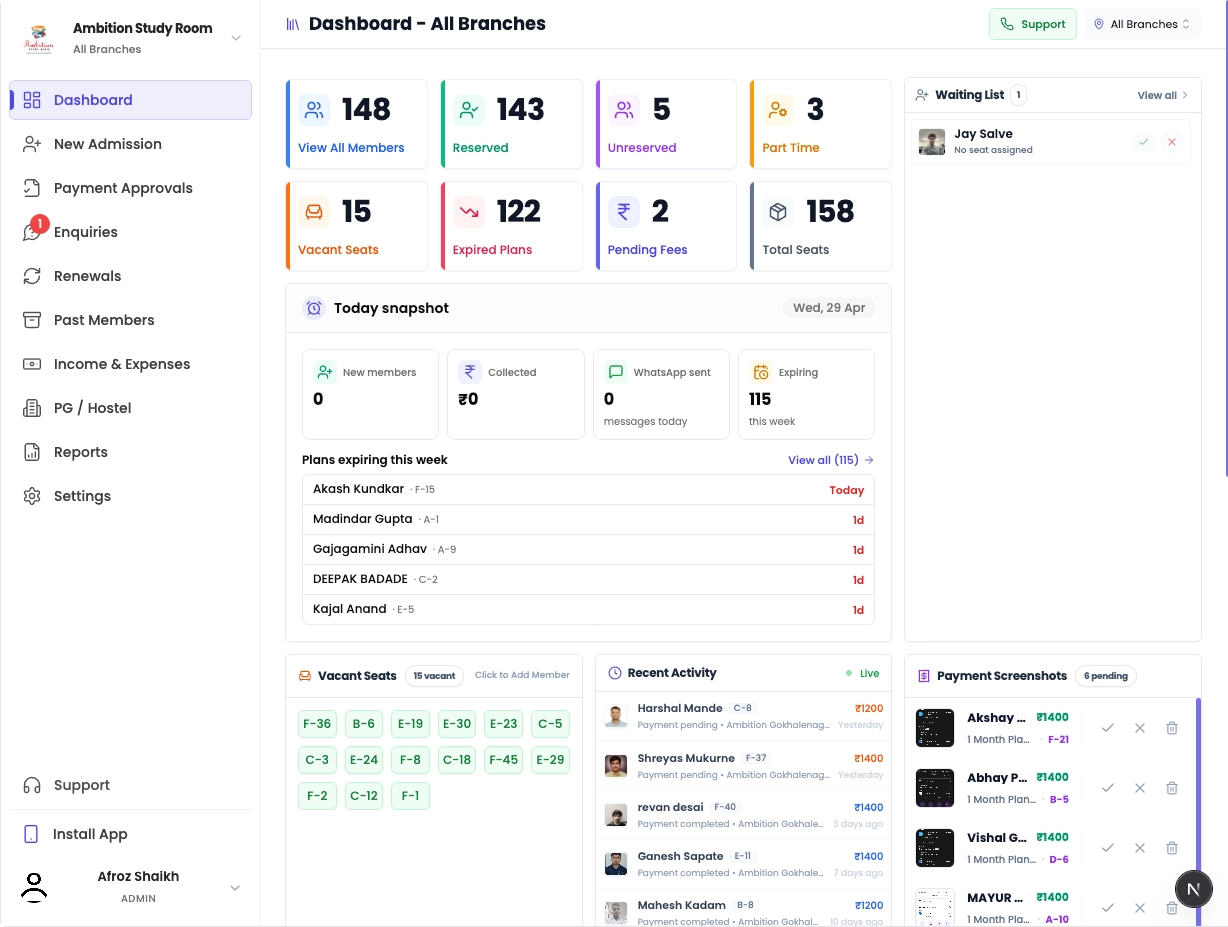
Three-step admission
Pick the seat and plan — dates and fees fill in by themselves.
Registration link and QR
Share it on WhatsApp or stick the QR at the counter. Students fill their own form.
Import from Excel
Already running? Bring all your students in at once from one sheet.
Enquiries and waiting list
Everyone who registers online waits here. Call, WhatsApp or admit in one tap.
Printable ID cards
Photo ID card for every student, one at a time or all together.
Fees and plans
Collect fees without chasing anyone
Your plans, your prices, your dates. Students pay you directly on UPI and you approve it in one tap.
Plans by day, week or month
Sell a one-day trial, a weekly pass or a monthly seat — each with its own price.
Continue a plan in one click
Renew one student or many at once. Change the start or end date whenever you need.
UPI QR payments
The student scans your QR, pays, and uploads the screenshot. You approve it in Payment Approvals.
Part cash, part online
Record a payment that came both ways, so your cash and online totals stay right.
Deposits and one-time fees
Security deposit or registration fee is charged once — never again on renewal.
Receipt on WhatsApp
The student gets a receipt the moment you record the payment. No paperwork.
WhatsApp automation
The reminders send themselves
Every message goes out on WhatsApp on its own. The student only taps a button — they never fill a form.

Continue next month? Yes or No
5, 4 and 3 days before a plan ends, the student taps Yes or No. You see who is staying.
Expiry reminder
On the day a plan ends, the student is reminded to renew.
Pending payment reminders
Up to three reminders after expiry — gentle, then firm, then final.
Due fee reminder
Send a fee reminder to anyone who owes you, in one tap.
Google review request
One month after joining, each student is asked for a Google review — automatically.
Notices
Holiday, timing change, new rule — send it to everyone, a room, or chosen students.
Switch off any message
Don't want a message? Turn it off and you are never charged for it.
Attendance
Know who is inside, without a register
Connect an eSSL fingerprint or face machine. Entry and exit are recorded with the exact time.
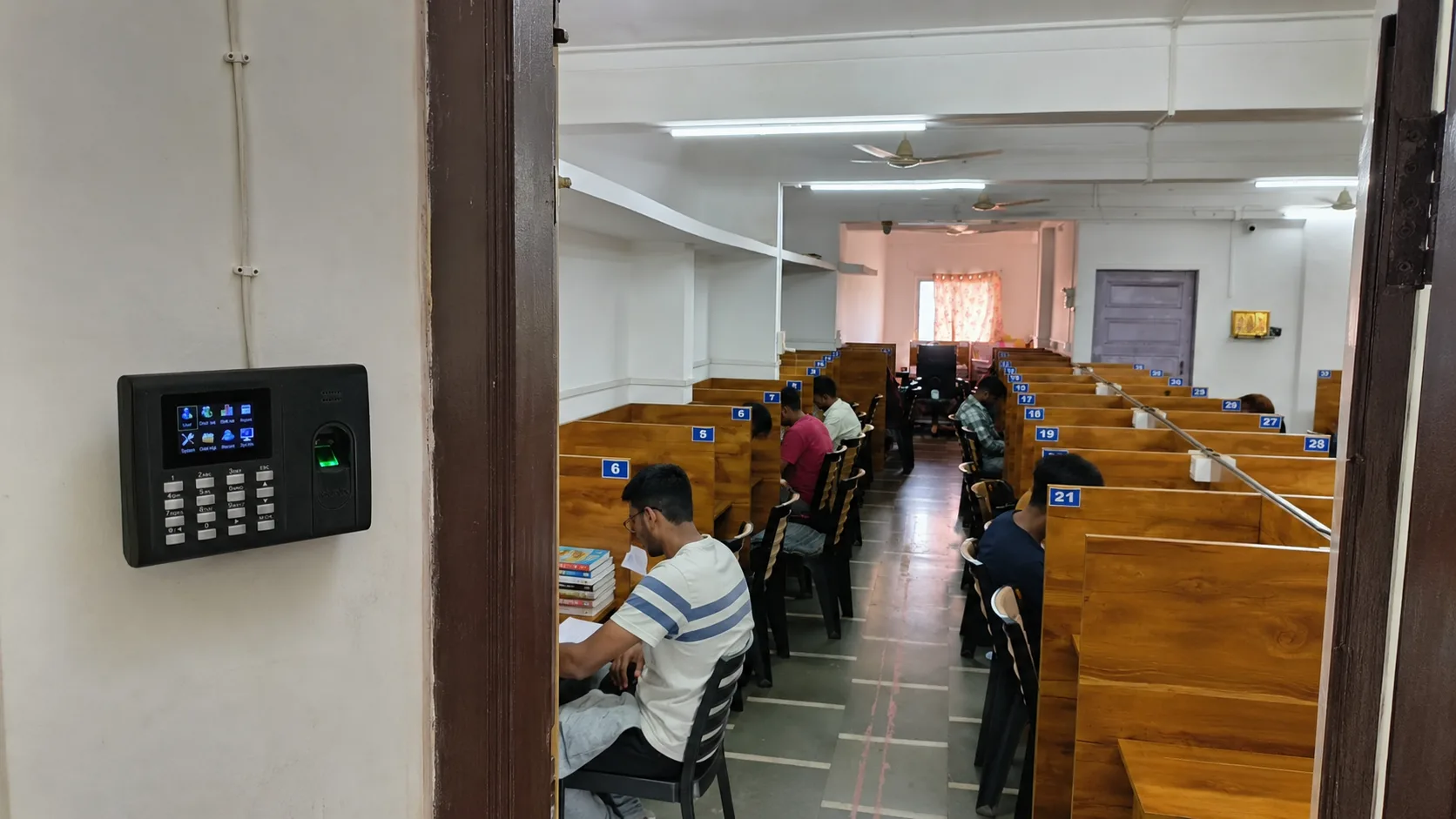
eSSL fingerprint and face machines
Supported machines send every punch straight to your dashboard.
Live entry and exit
See who came in, who left and when — today and for any past day.
Ask for a thumb on WhatsApp
Send the student a message to go and register their thumb at the machine. You don't have to stand there.
Auto-pause when fees are overdue
Entry stops when a plan runs out and starts again on renewal — no new scan needed.
Machine offline alert
If the machine loses power or internet, you get a WhatsApp.
Seat layout
Your real floor plan, seat by seat
Draw your room exactly as it is — seats, entrance, washroom, water — and see at a glance which seat is free.
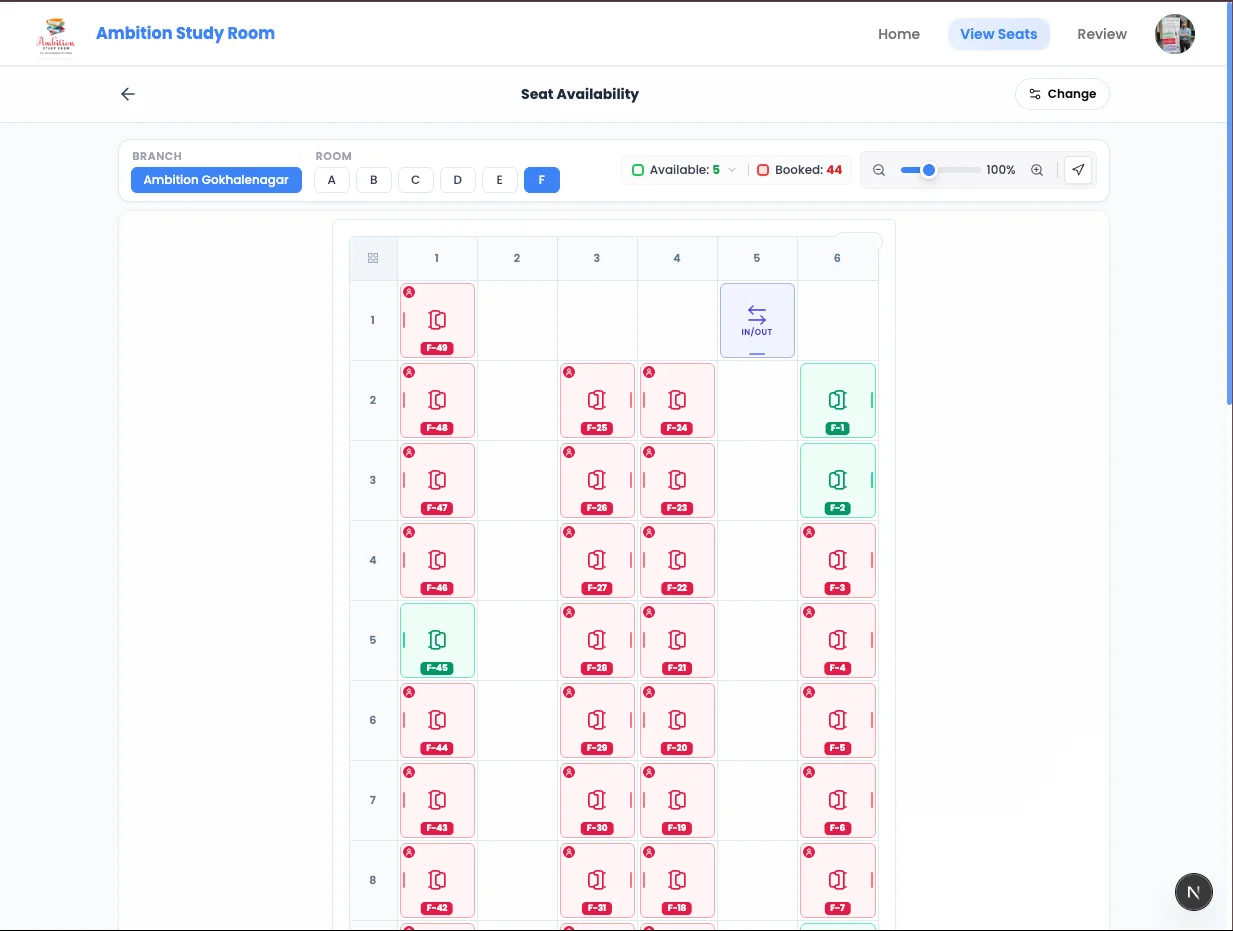
Design the layout yourself
Place every seat, the entrance, washroom and water where they really are.
From a photo of your sketch
Draw the room on paper, take a photo, and the layout is built from it.
Print the layout
Print the plain layout, or with every student's name on their seat.
Show free seats on your website
Students check what is available before they come. Hide it whenever you want.
Your website and marketing
Your own website, ready on day one
Every library gets its own website with your name, photos and toppers — your online marketing, without hiring anyone.
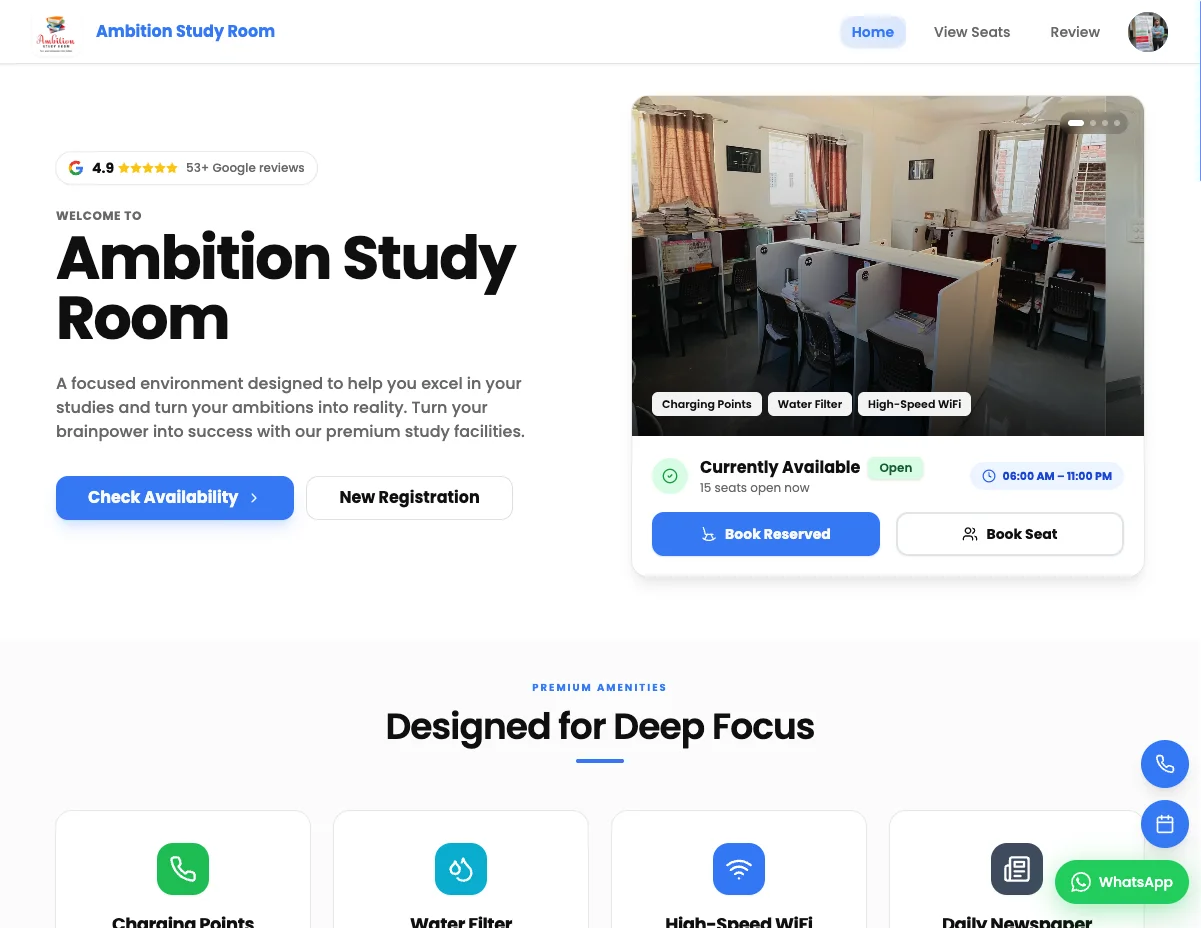
Your own web address
yourlibrary.myabhyasika.in from day one, or connect your own domain.
Photos, amenities and timings
Show your study room the way students want to see it before they visit.
Toppers wall
Students who cleared their exams — the strongest reason to join.
Google rating on your page
Your Google reviews build trust with every new visitor.
Three styles, your colour
Pick a look and a brand colour. Change it any time; it's live at once.
Staff, branches and reports
Run it from anywhere
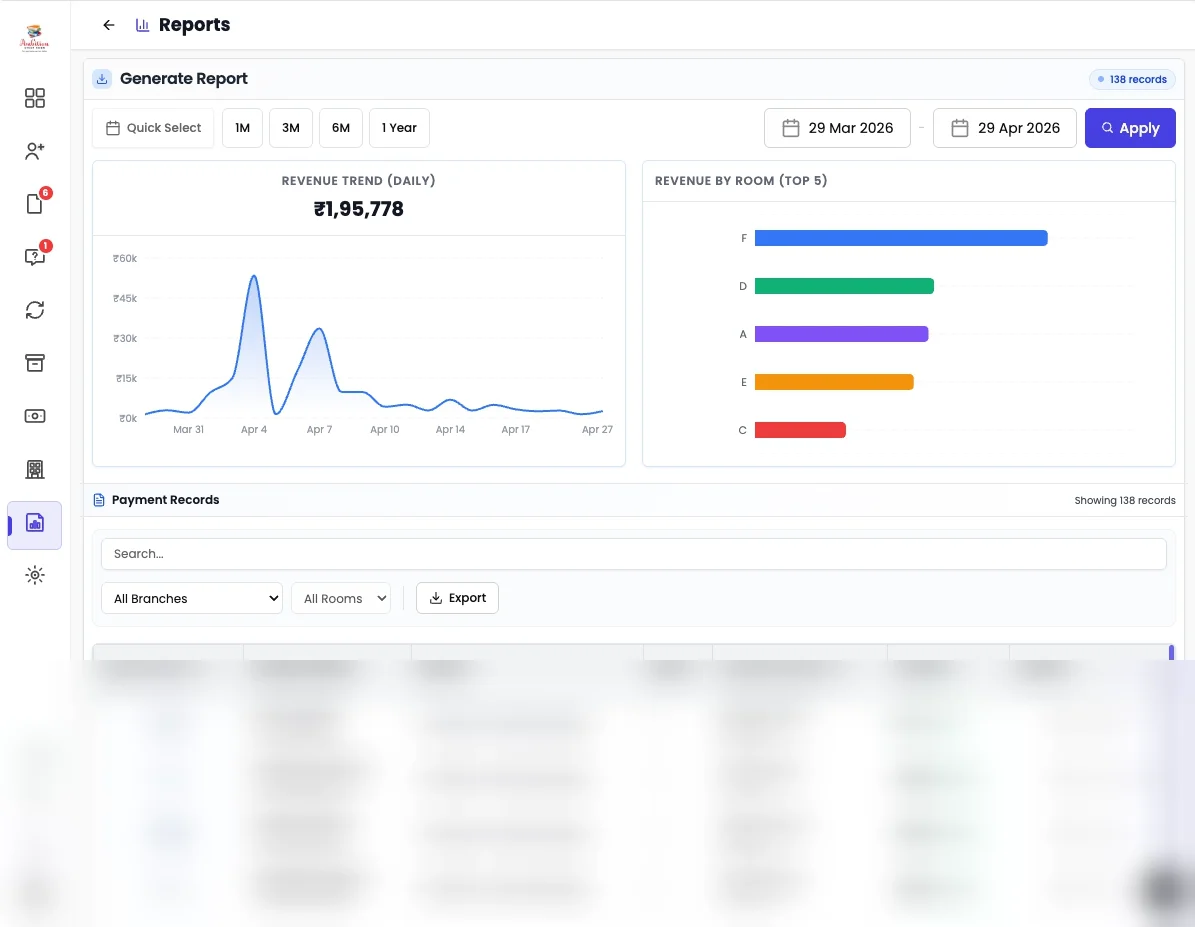
On the web or the mobile app, one login runs every branch — and your staff see only what you allow.
Staff with limited access
A helper sees only the rooms you give them — never your money or settings.
Who collected what
See the admissions and fees each staff member took, day by day.
Every branch, one login
Switch between branches or see all of them together.
Income, expenses and profit
Money in, money out and what you actually saved, month by month.
Complaints
Students raise a complaint; you get it on WhatsApp and they hear when it's fixed.
Web and mobile app
Check your library from home, from the road, from anywhere.
Start free for 14 days
Set up your library in a few minutes. No payment for the first 14 days.
Register Your Library Free