
Remove a student and give back their deposit
Remove a student who is leaving: mark their locker key Got it back or Lost, record the deposit and fee for the days left you gave back (Cash or UPI), share the refund receipt on WhatsApp, and record a refund later from Past Members.
Steps checked on 19 November 2026
When a student leaves, removing them frees their seat and stops their fingerprint. The Remove box also asks about the two things a student usually leaves with: your keys, and their money.
Remove the student
- Open All Members and find the student.
- Tap the trash icon on their row. The Remove box opens.
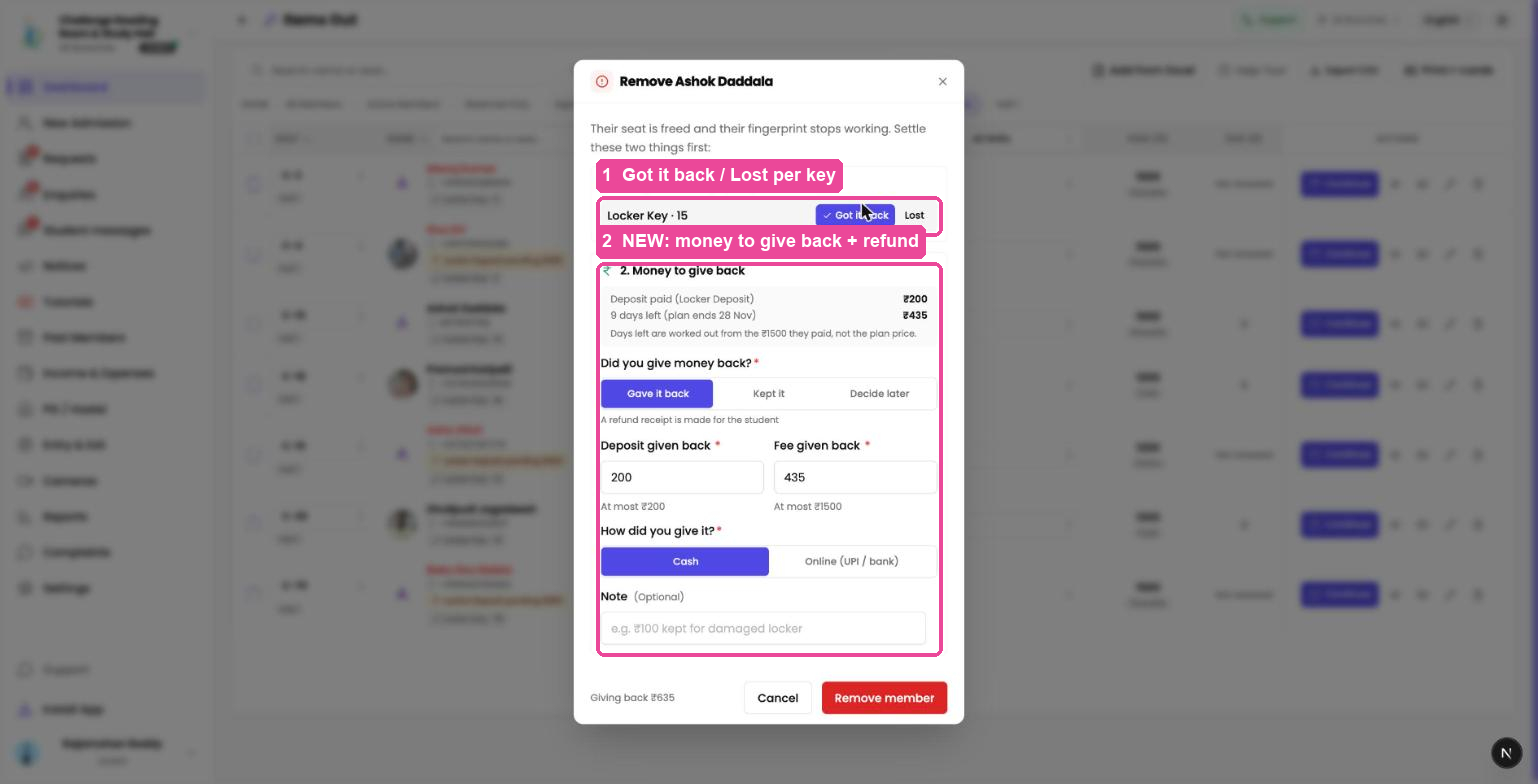
1. Keys and things you gave
Every key, card or item still with the student is listed. Tap Got it back or Lost for each one. If you leave an item unanswered, tick Still with them — remove anyway to carry on.
2. Money to give back
You see the deposit they paid and the fee for the days left on their plan. The days left are worked out from what the student actually paid, not the plan price. Today counts as used.
Choose one:
- Gave it back: enter the deposit and fee you returned. Each box shows the most you can enter. Then pick Cash or UPI / Online.
- Kept it: you are not giving anything back.
- Decide later: the student shows as Refund pending in Past Members.
You can add a Note, for example "₹100 kept for damaged locker".
- Tap Remove.
Share the refund receipt
After a refund, a message shows Open receipt and Send on WhatsApp. Send on WhatsApp opens your own WhatsApp with the receipt link ready for the student. Abhyasika sends nothing and charges nothing for it.
Record a refund later
Open Past Members. The Money back column shows each student who left:
- Refunded ₹X, with the Receipt link
- Not refunded, with Gave it back later? if they come back for it
- Refund pending: tap Record refund to save what you gave
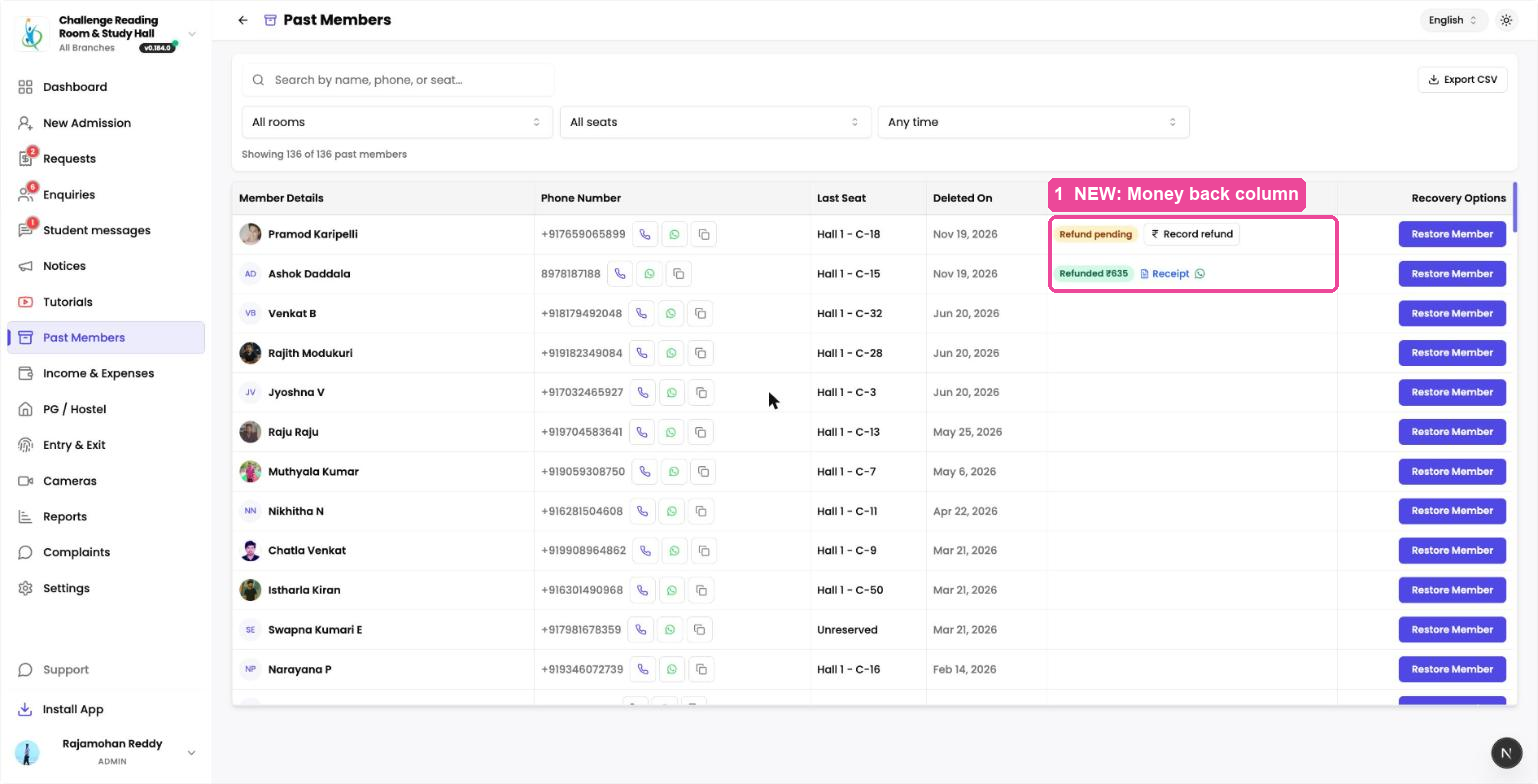
Once a refund is saved as Refunded, it cannot be changed, because the student may already have the receipt.
Students removed in bulk, or when a branch is deleted, are not asked these questions. If they were owed anything, they show as Refund pending in Past Members.
Where refunds show in Income & Expenses
Refunds appear on Income & Expenses under Total Expenses ("₹X refunded to members"). A fee you gave back comes off Profit. A deposit you gave back does not, because a deposit was never income.
Your sub-admins can do all of this too, and their name is saved on the refund.