
Get help: chat with support
How to report a problem or ask for help: open Support (or Cmd/Ctrl + Shift + G), describe it to the AI assistant or write it yourself, and send the report; fixed usually within 24 hours, 3 days at most.
Steps checked on 1 October 2026
Stuck, or something not working? Tell us from inside the app. A help assistant answers you right away, and for a real problem it writes a support ticket for our team.
We usually fix a problem within 24 hours, and within 3 days at most.
Open Support
- From any screen, tap Support in the sidebar, or the green Support button at the top of the dashboard.
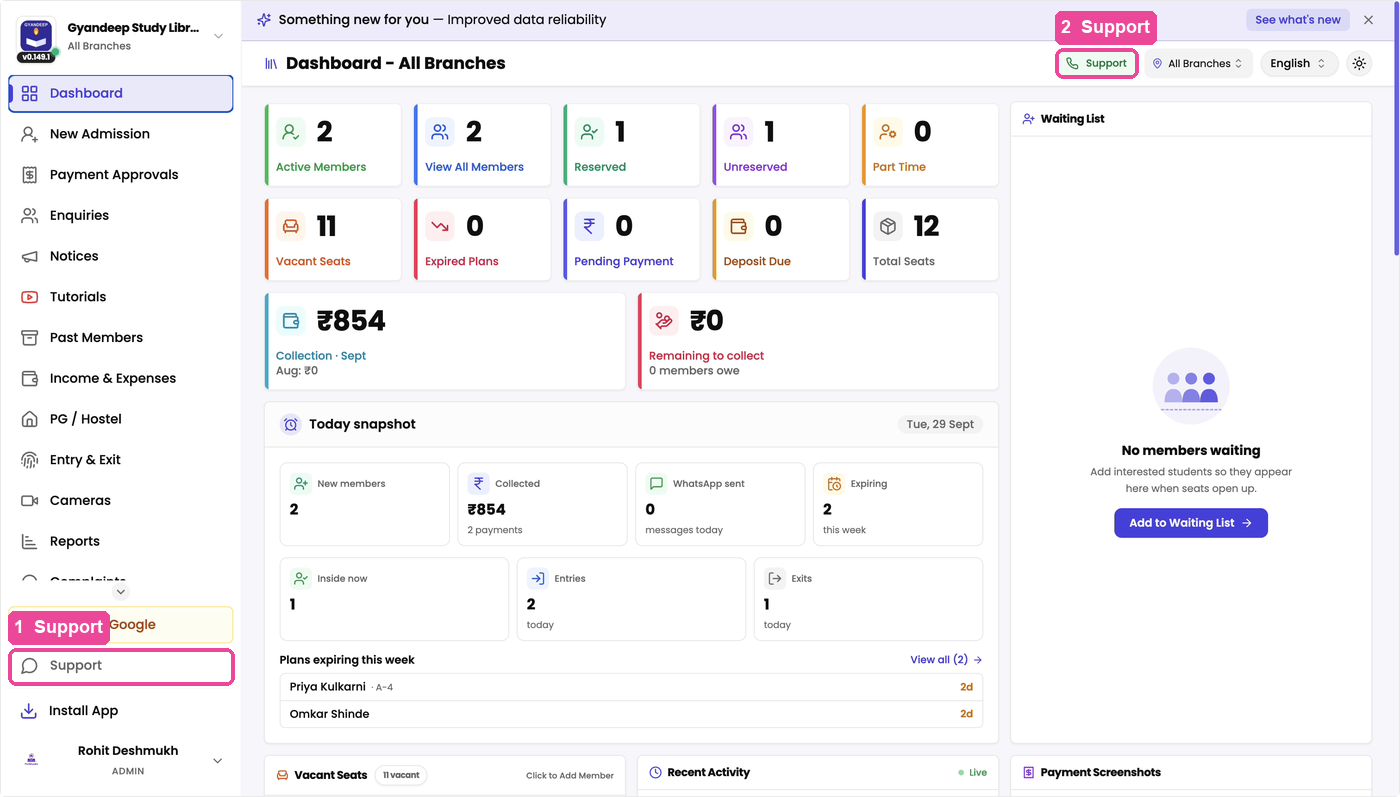
- On a computer you can also press Cmd + Shift + G (Mac) or Ctrl + Shift + G (Windows) on any screen.
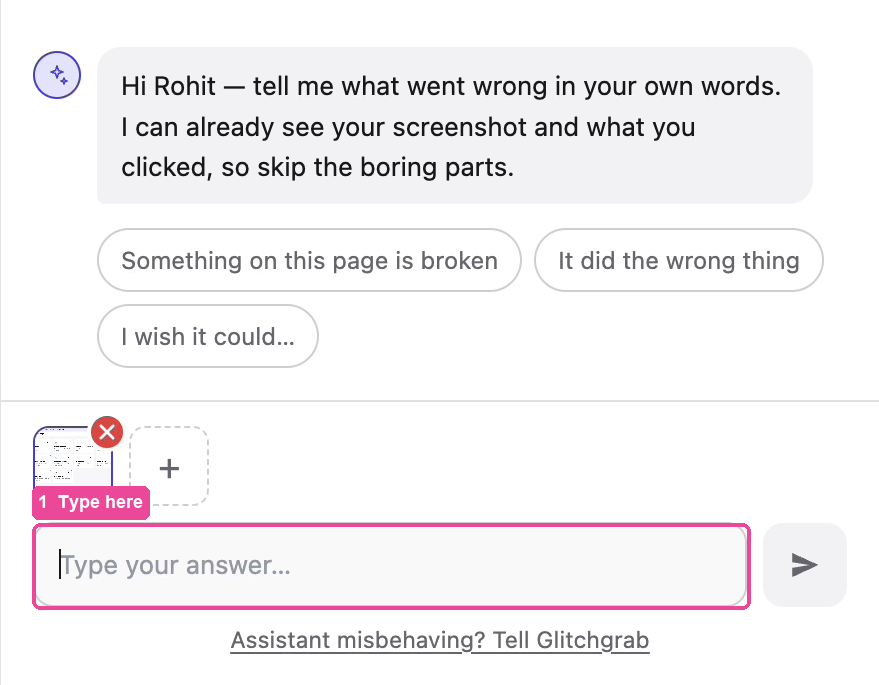
A picture of the screen you were on is added to your report by itself, so you do not need to take a screenshot.
Describe it with AI (easiest)
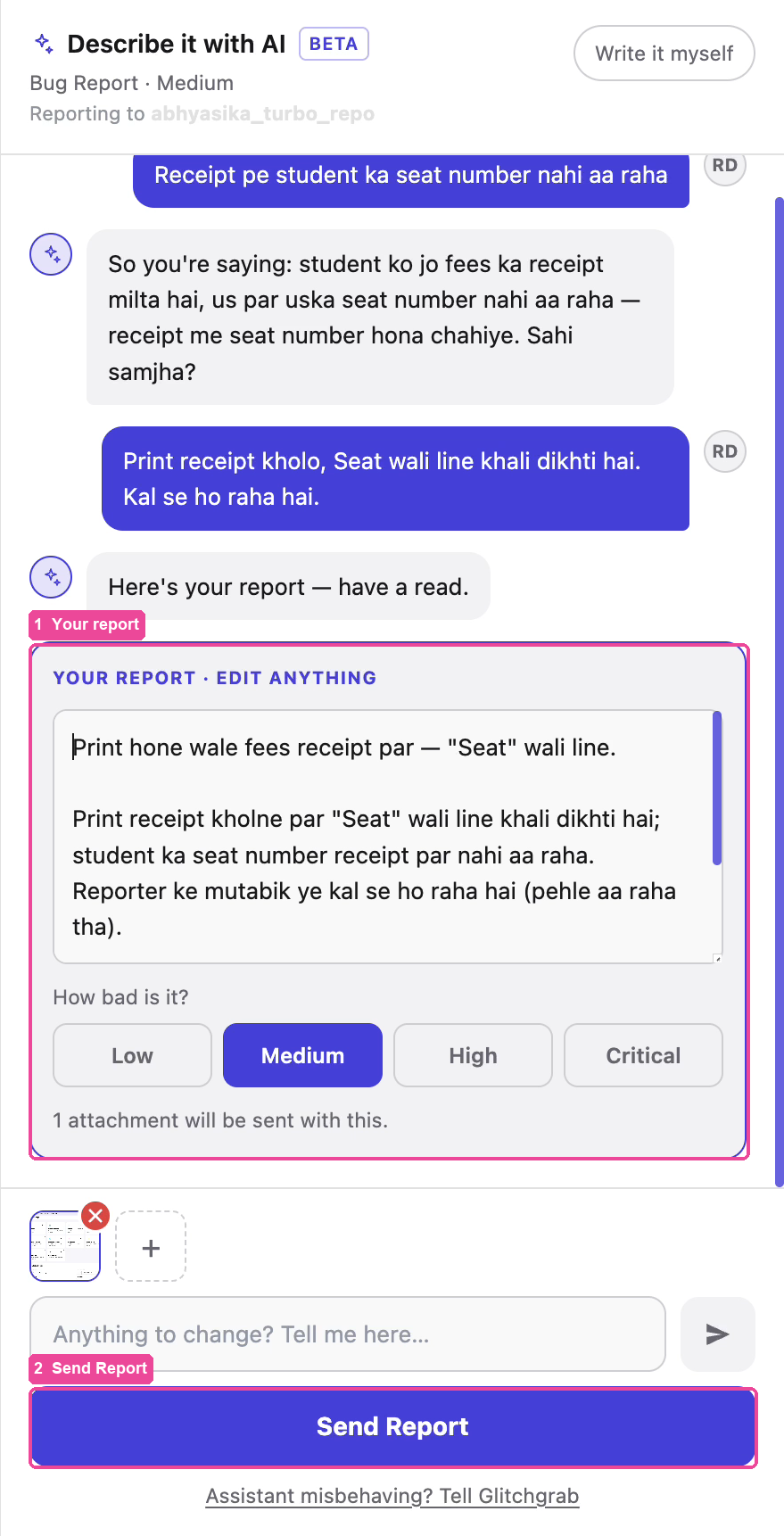
The panel that opens is called Describe it with AI.
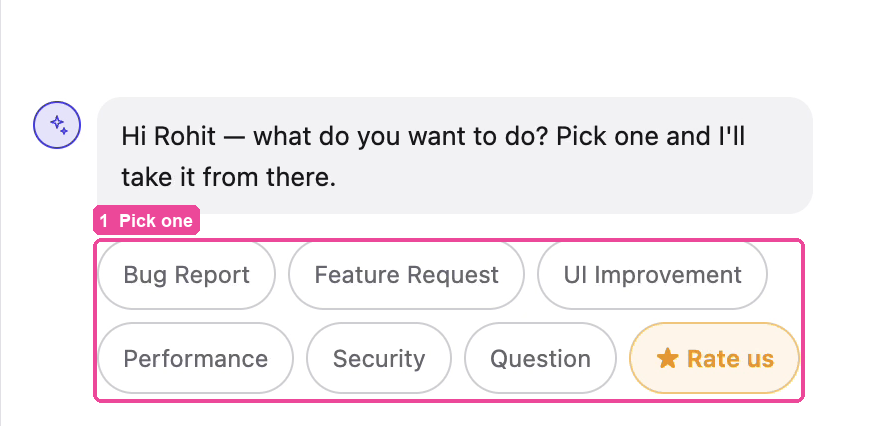
- Pick what you want to do: Bug Report, Feature Request, UI Improvement, Performance, Security or Question.
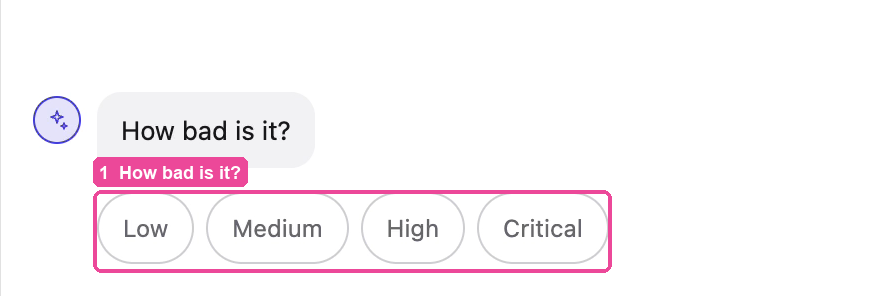
- Under How bad is it?, pick Low, Medium, High or Critical.
- In the box at the bottom, type what went wrong in your own words, in Hindi, Marathi or English. For example: "Receipt pe student ka seat number nahi aa raha". Tap the send arrow.
- The assistant repeats back what it understood and may ask a question, such as since when it has been happening. Answer it the same way.
- When it has understood, it writes your report under Your report · edit anything. Read it. You can change any word, and change How bad is it? if needed.
- Tap Send Report. Your ticket reaches our team.
If you only had a question, the assistant may answer it straight away and you will not need to send a report.
Write it myself
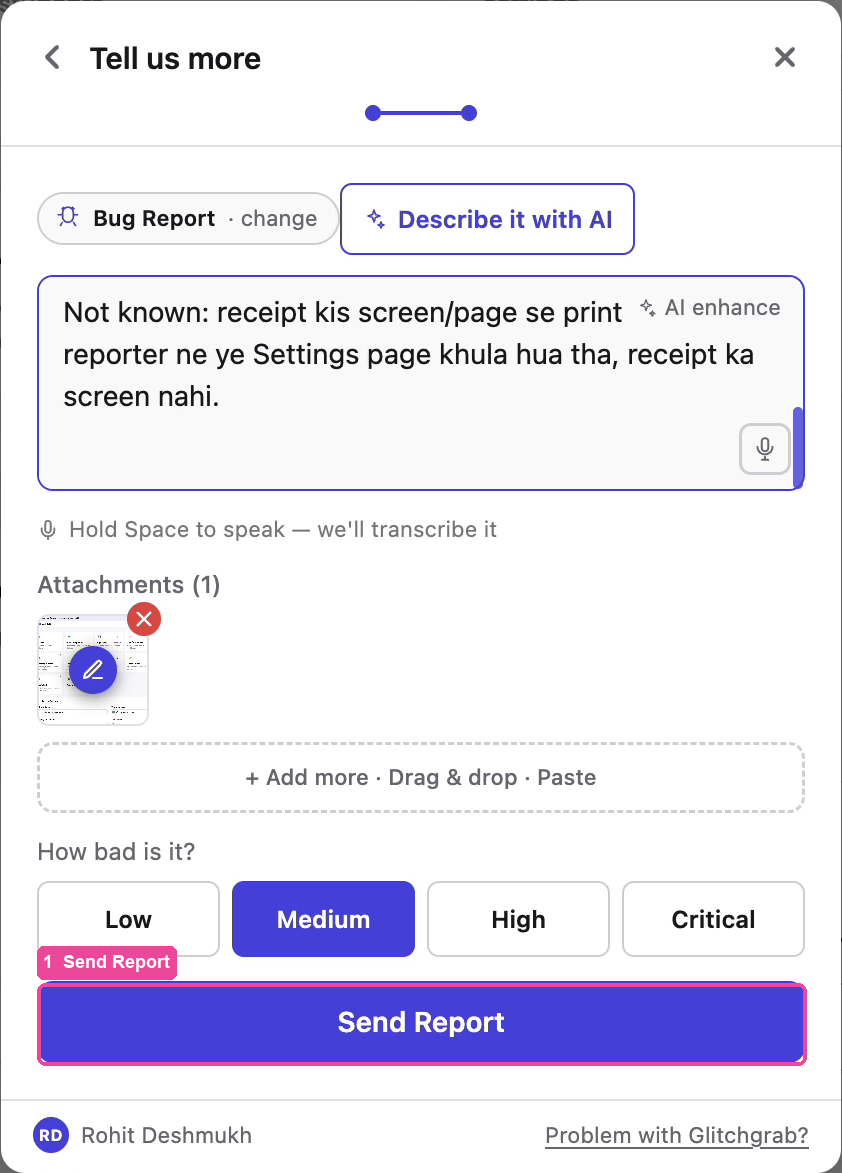
Prefer to write the report yourself?
- In the Describe it with AI panel, tap Write it myself at the top right.
- The Tell us more form opens. Type the problem. You can add more pictures under Attachments.
- Pick How bad is it?.
- Tap Send Report.
Asking for a beta feature
PG / Hostel and Cameras are in beta. To start using either one, open Support, pick Feature Request or Question, and say which one you want.